Beating Heart
<h2 id="step-1:-make-it"><strong>Step 1: Make it</strong></h2>
<p> </p>
<h3 id="what-is-it?"><strong>What is it?</strong></h3>
<p>Make your micro:bit’s heart beat using loops to create an animation.</p>
<p>These two videos show you what you'll make and how to code it:</p>
<p> </p>
<h3><strong>Introduction</strong></h3>
<p> </p>
<p><iframe allow="encrypted-media" allowfullscreen="" frameborder="0" src="https://www.youtube-nocookie.com/embed/8qzYWH10o6E?rel=0&cc_load_policy=1" title="Video introducing the project"></iframe></p>
<p> </p>
<h3><strong>Coding guide</strong></h3>
<p> </p>
<p><iframe allow="encrypted-media" allowfullscreen="" frameborder="0" src="https://www.youtube-nocookie.com/embed/2yzT7_QGLLc?rel=0&cc_load_policy=1" title="Video coding guide"></iframe></p>
<p> </p>
<h3 id="how-it-works"><strong>How it works</strong></h3>
<ul>
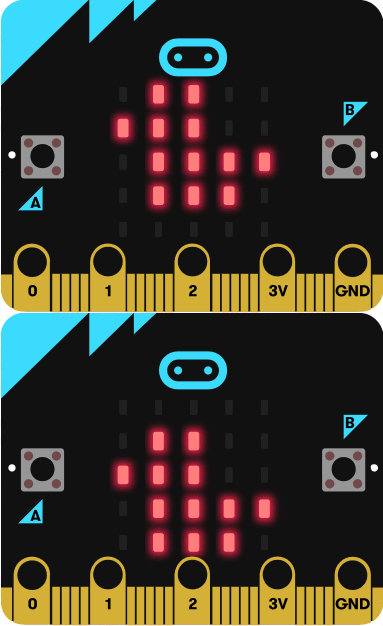
<li>The program shows a beating heart using two built-in pictures, a large and small heart, on the micro:bit's <a href="https://microbit.org/get-started/features/leds-and-buttons/#leds">LED display</a>.</li>
<li>Different images shown in a sequence create the illusion of movement: a heart getting larger and smaller.</li>
<li>After showing each image, the program <strong>pauses</strong> for half a second (500 milliseconds) before showing the next image.</li>
<li>The animation is kept going <strong>forever</strong> using an infinite <strong>loop</strong>: it repeats the sequence of showing these two images and pausing until you unplug the micro:bit.</li>
<li>Using loops to keep things happening is an important idea in computer programming: we have created an animation that will keep running for as long as the micro:bit has power using only a small amount of code. This is also called <strong>iteration</strong>.</li>
</ul>
<p> </p>
<h3 id="what-you-need"><strong>What you need</strong></h3>
<ul>
<li>micro:bit (or MakeCode simulator)</li>
<li>MakeCode or Python editor</li>
<li>battery pack (optional)</li>
</ul>
<p> </p>
<p> </p>
<h2 id="step-2:-code-it"><strong>Step 2: Code it<button aria-controls="65f60735c998-tabpanel-1" aria-selected="false" id="65f60735c998-tab-1" role="tab" tabindex="-1" type="button"></button></strong></h2>
<p> </p>
<h3><u><strong>MakeCode</strong></u></h3>
<p> </p>
<p><img alt="" src="/api/storage/uploads/legacy-images/si8ukm95l26x6gtn14sixp5zkgnv/Unknown.png" style="width: 500px; height: 683px;" /></p>
<p> </p>
<p> </p>
<h3><u><strong>Python</strong></u></h3>
<h2> </h2>
<p><code>1from microbit import *<br />
2<br />
3while True:<br />
4 display.show(Image.HEART)<br />
5 sleep(500)<br />
6 display.show(Image.HEART_SMALL)<br />
7 sleep(500)<br />
8<br />
9</code></p>
<p> </p>
<pre>
</pre>
<p><a href="https://classroom.microbit.org/?id=beating-heart&project=Project%3A%20Beating%20heart&name=beating-heart&editors=makecode%2Cpython">Open in Classroom</a></p>
<p><a data-testid="editor-link" href="https://makecode.microbit.org/#pub:_AUiYbFHgp6wK">Open in MakeCode</a></p>
<p><a href="https://microbit.org/downloads/beating-heart-makecode.hex">Download HEX</a></p>
<p><a data-testid="editor-link" href="https://python.microbit.org/v/3#import:#project:XQAAgABfAQAAAAAAAAA9iImmlGSt1R++5LD+ZJ36cRz46B+lhYtNRoWF0nijpaVyZlK7ACfSpeoQpgfk21st4ty06R4PEOLbxnvXPBbRP1N3oqmbKXSljffpAqTqaQvw4GmEO4Oy54Cg+JWMvxaUySzPQMTr2lK2vCmnll6F4o30DJr6So+JCYmawEeyajV9Ql78YPiP4lr2OFqwNabAnIR7jeiNHJw37YsUlvuaOt3eWpGwRV4Jv9qlHzyxoaVsPWl1dfAlDnKXPS7vmqYR//HbCmA=">Open in Python</a></p>
<p> </p>
<h2 id="step-3:-improve-it"><strong>Step 3: Improve it</strong></h2>
<ul>
<li>Make the heart beat faster or slower by changing the delay time.</li>
<li>Try animating other built-in images like the small and large diamond or square.</li>
<li>Create your own animations using your own designs.</li>
</ul>